Hermes
Agent
The self-improving AI agent that runs on your server. Layered memory that accumulates across sessions, a cron scheduler that fires while you're offline, and a skills system that saves reusable procedures automatically.
Built by Nous Research
Community Web UI — not affiliated with or endorsed by Nous Research. Official site: hermes-agent.nousresearch.com
The core idea
Most tools are excellent in the moment and weak over time
Memory is no longer a differentiator on its own. ChatGPT, Claude, Cursor, and GitHub Copilot all have some form of memory now. With GPT-5.5 and Claude Mythos pushing the frontier in April 2026, Anthropic, OpenAI, and Microsoft are all shipping scheduling and agent features. The category boundaries that existed twelve months ago are blurring fast.
The distinction that matters is not "has memory" vs. "has no memory." It's whether context persists across sessions automatically, whether execution happens on hardware you control, whether you can reach the same agent identity from any device, and whether the system gets meaningfully better at your workflow over time without manual configuration.
Hermes answers yes to all four. It runs as a persistent process on your server. Memory is markdown files in ~/.hermes/. The same agent that answered your Telegram message at 9am is available in your terminal at 2pm, with full context.
Skills: auto-written from experience
Schedule: cron, runs while you sleep
Surfaces: Telegram · Discord · Slack · browser
Model: your choice, swap anytime
Three pillars
What makes it different
Memory that compounds
Layered memory system: user profile, agent memory, skills, and session history. All stored locally as readable, editable markdown files at ~/.hermes/.
- Survives every reboot and model swap
- 8 optional external memory providers
- You never configure it manually
- Portable, inspectable, deletable
Autonomous scheduling
Built-in cron scheduler runs on your server with full access to your memory and skills, and delivers results wherever you want them.
- Morning news briefings to Telegram
- PR review automation
- Test suite monitoring
- Blog watchers and price alerts
Reach it from anywhere
Multi-surface access: same agent, same memory. Switch surfaces mid-conversation without losing context.
- Telegram · Discord · Slack · WhatsApp
- Signal · Matrix · Mattermost · Email · SMS
- DingTalk · Feishu · WeCom · BlueBubbles
- Home Assistant · browser
Full feature set
Everything in one system
Web search and extraction, browser automation, code execution, vision analysis, image generation, TTS, subagent delegation, and more.
Tools reference →The agent writes its own skills from experience. Compatible with agentskills.io open standard and shareable via Skills Hub.
Skills docs →Connect to any MCP server. Hermes can also expose itself as an MCP server for Claude Code, Cursor, or Codex.
MCP docs →Real-time voice in CLI (Ctrl+B to record), Telegram voice bubbles, Discord voice channels. Supports faster-whisper locally or Groq/OpenAI Whisper.
Voice docs →Local, Docker, SSH, Daytona, Singularity, Modal. Run execution anywhere from a $5 VPS to serverless cloud, sandboxed as needed.
Backend docs →Define the agent's default voice with a global SOUL.md file. 14 built-in personas plus custom personalities via config.
Personality docs →Spawn Claude Code or Codex as sub-agents for heavy coding tasks. Results fold back into Hermes memory. Hermes also runs as an MCP server for other tools.
Orchestration docs →7-layer defense in depth: user allowlists, dangerous command approval, Docker isolation, MCP credential filtering, prompt injection scanning, cross-session isolation, input sanitization.
Security docs →Hermes Web UI
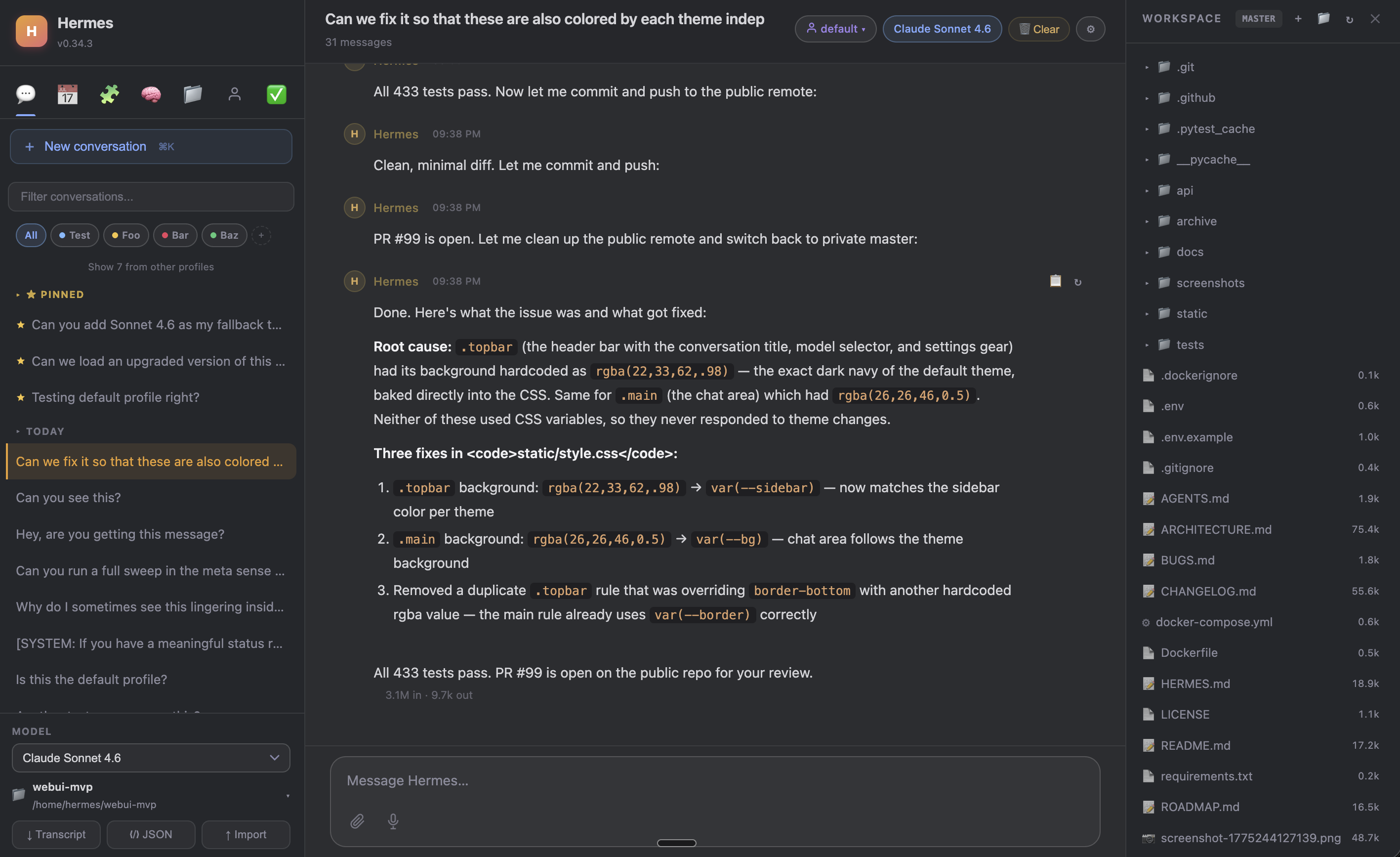
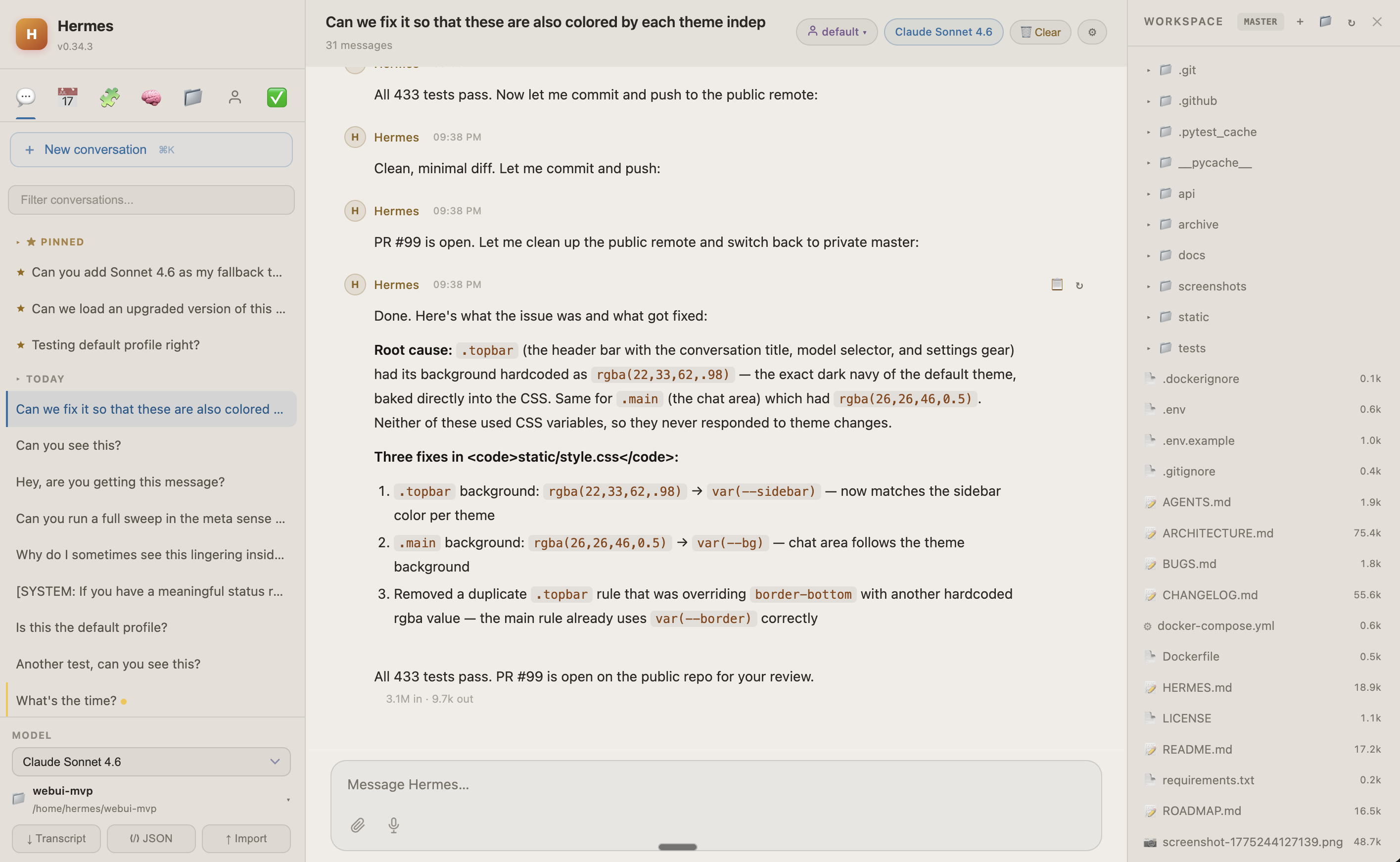
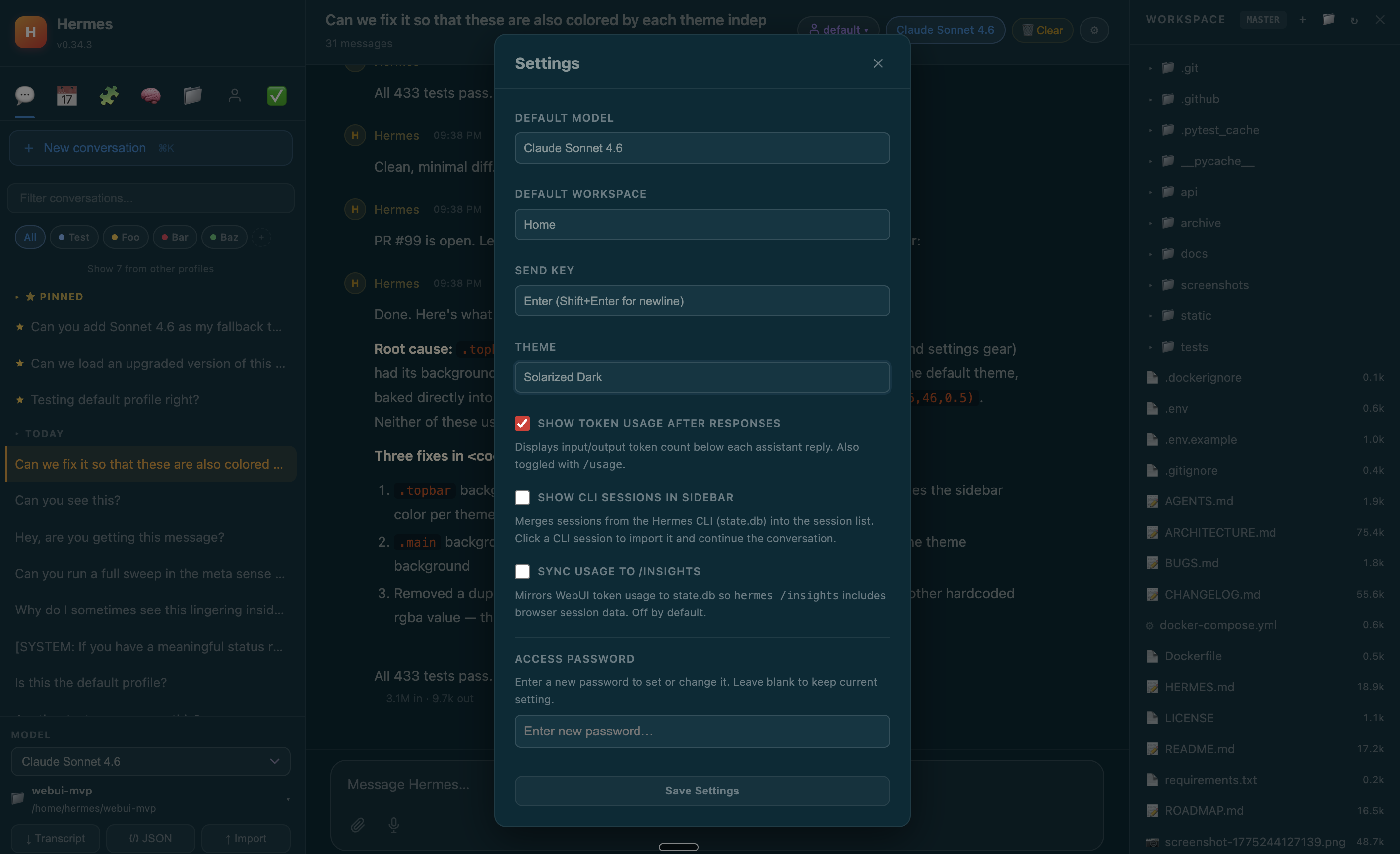
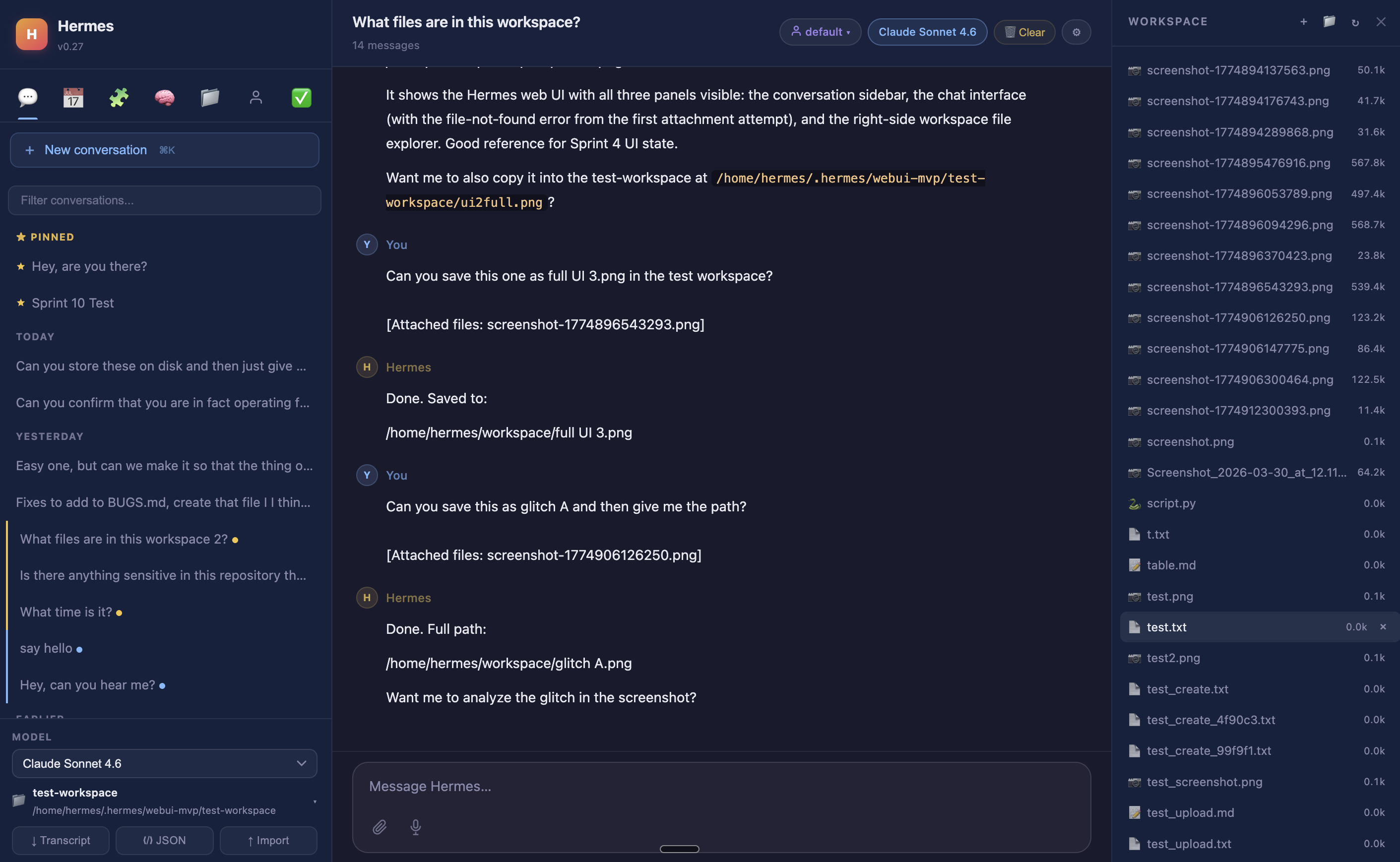
A beautiful browser interface for Hermes
Full-featured, no build step, no framework. Three-panel Claude-style layout with sessions sidebar, chat, and workspace file browser. Everything you can do from a terminal, you can do from this UI. GitHub →
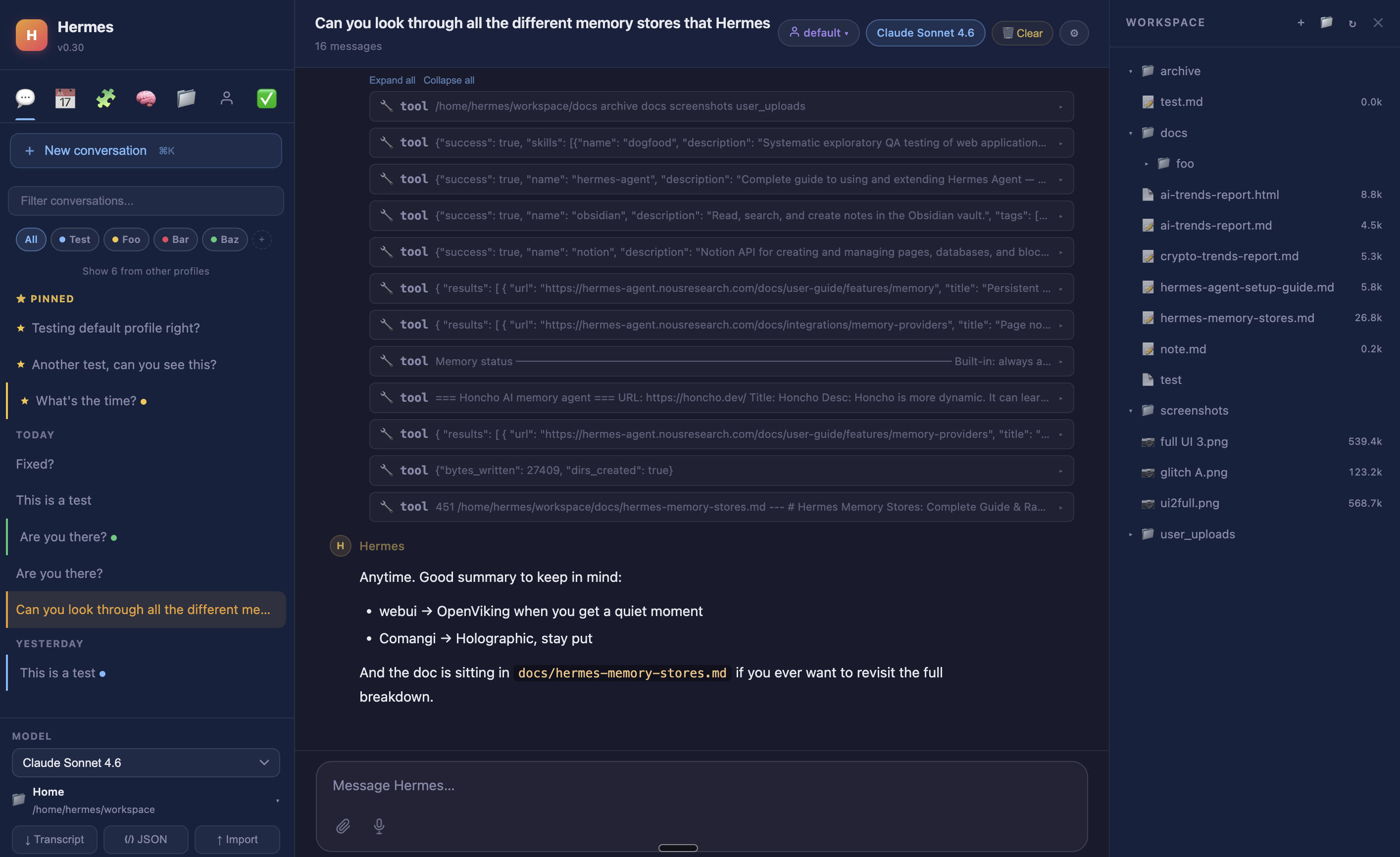
What it includes
curl -fsSL https://raw.githubusercontent.com/NousResearch/hermes-agent/main/scripts/install.sh | bash
hermes model # configure your LLM providercurl -fsSL https://get-hermes.ai/install.sh | bashClones the Web UI to ~/hermes-webui and starts it on http://127.0.0.1:8787. Safe to re-run to update. Prefer to read it first? View the script, or do it by hand:
git clone https://github.com/nesquena/hermes-webui.git hermes-webui
cd hermes-webui
./start.shdocker pull ghcr.io/nesquena/hermes-webui:latest
docker run -d \
-e WANTED_UID=$(id -u) -e WANTED_GID=$(id -g) \
-v ~/.hermes:/home/hermeswebui/.hermes \
-v ~/workspace:/workspace \
-p 8787:8787 ghcr.io/nesquena/hermes-webui:latestssh -N -L 8787:127.0.0.1:8787 user@your-serverThen visit http://localhost:8787
Who it's for
Built for these workflows
Hermes earns its setup cost over time, not in the first session. These are the people and use cases where it shines.
Honest comparison
How Hermes compares
The agent landscape is converging fast. Chat assistants added scheduling and connectors. Editors shipped cloud agents and automations. CLIs are getting skills systems and multi-surface reach. The lines between "assistant," "editor," and "agent" are dissolving. This table reflects where things stand in mid-2026. Hermes wins through synthesis: all of these capabilities working together on hardware you own, with a model of your choice.
vs. the agent landscape
| Tool | Persistent memory | Self-hosted scheduling | Messaging / surfaces | Self-hosted | Open source | Self-improving skills | Always-on |
|---|---|---|---|---|---|---|---|
| Hermes | ✓ | ✓ self-hosted | ✓ many platforms | ✓ | ✓ MIT | ✓ automatic | ✓ |
| OpenClaw | ✓ | ✓ | ✓ 24+ platforms | ✓ | ✓ MIT | Partial | ✓ |
| Claude Code | Partial† | Cloud or desktop app | Preview | No | No | No | No |
| Codex | Partial | Desktop app | No | ✓ (CLI) | ✓ Apache 2.0 | No | No |
| OpenCode | Partial | No | Community | ✓ | ✓ | Community | No |
| Cursor | ✓ per-project | Cloud VMs | ✓ Slack/web/mobile | No | No | No | No |
| GitHub Copilot | Repo-scoped‡ | Via agent | Via CLI | No | No | No | No |
| Claude.ai | ✓ | ✓ Cowork | ✓ 50+ connectors | No | No | No | No |
| ChatGPT | ✓ | ✓ | ✓ 50+ connectors | No | No | No | No |
| Perplexity Computer | Partial | Daily/weekly | Slack + Teams | No | No | No | No |
† Claude Code: CLAUDE.md / MEMORY.md plus auto-memory since v2.1.59+; no automatic cross-project accumulation
‡ Copilot Agentic Memory: public preview Jan 2026; repo-scoped, auto-expires after 28 days
Head-to-head
Hermes vs. OpenClaw
OpenClaw (MIT, 365k+ stars) is the closest comparison: open-source, self-hosted, always-on. OpenClaw has the widest messaging surface (24+ platforms including iMessage, LINE, WeChat, Teams) and native Chrome CDP browser control. Hermes wins on stability (OpenClaw's Telegram integration broke across multiple 2026 releases) and security — three separate 2026 audits found malicious skills in ClawHub (Koi Security linked 335 to "ClawHavoc," Bitdefender flagged ~900 packages, ~20% of the ecosystem). Hermes writes skills automatically from experience; OpenClaw centers on a human-curated marketplace. Hermes runs in Python/ML ecosystem; OpenClaw is Node.js.
Hermes vs. Claude Code
Claude Code is Anthropic's official agentic tool spanning terminal, IDE, desktop, and browser. It has a 26-event hooks system, a plugin/skills marketplace, CLAUDE.md/MEMORY.md project memory with auto-memory since v2.1.59+, and cloud-managed scheduling on Anthropic infrastructure. Messaging channels (Telegram/Discord/iMessage) remain a research preview; Slack has not shipped. Key differences: scheduling requires cloud or desktop app (not a headless server daemon), memory doesn't accumulate across projects, and it's locked to Claude models. Hermes can spawn Claude Code as a sub-agent for heavy implementation tasks.
Hermes vs. Cursor
Cursor has changed substantially. Memories (per-project) shipped June 2025. Automations launched March 2026 with time-based, event-based, and Slack triggers on cloud VMs. Cursor v3.0 (April 2026) is explicitly agent-first with a $29.3B valuation. Cursor excels at editor-native agents with strong IDE integration. Hermes is self-hosted and server-resident: the same persistent identity follows you across every surface without cloud intermediation, works with any model family, and for workflows requiring data sovereignty or deep Python/ML tooling on your own hardware, Cursor's cloud architecture is a fundamental mismatch.
Hermes vs. Claude.ai / ChatGPT
Both are no longer simple chat tools. Claude Cowork added scheduling (Feb 2026) and 50+ connectors. ChatGPT (now running GPT-5.5, released April 23 2026) has Agent Mode, Scheduled Tasks, and 50+ connectors. Both have improved memory. The fundamental difference isn't features — it's where execution lives. Neither is self-hosted. Neither is provider-agnostic. Memory, sessions, and agent execution run on their servers, not yours. For workflows requiring data sovereignty, persistent server-resident execution, or provider flexibility, that's a disqualifying constraint.
Hermes vs. Perplexity Computer
Perplexity Computer (February 2026) is a cloud agentic workflow engine that routes across 19+ frontier models, runs tasks in isolated sandboxes, and connects to 400+ services via prebuilt OAuth. Zero setup, broad coverage. Key difference from Hermes: cloud-only, no data sovereignty, opaque credit costs, and no persistent environment state between runs.
Quick start
Get started in 60 seconds
⭐ Want it on your phone, desktop, or every device? Read the full cross-platform setup guide — run the server once, then get a native app on Web, Windows, Linux, macOS, iOS & Android. Open setup guide →Works on Linux, macOS, WSL2, and Android (Termux). On Windows, use WSL2 first.
curl -fsSL https://raw.githubusercontent.com/NousResearch/hermes-agent/main/scripts/install.sh | bashsource ~/.bashrc # reload shell
hermes model # choose your LLM provider
hermes # start chattinghermes model # choose LLM provider and model
hermes tools # configure enabled tools
hermes gateway setup # set up messaging platforms
hermes doctor # diagnose any issuesSupported LLM providers
hermes model to browse and authenticate interactively
Where to run it
Hosting options
Hermes is self-hosted by design — it runs on hardware you control. Here are the most practical ways to get it running, from zero-setup managed hosting to a bare VPS.
Managed Hermes hosting — live in 60 seconds with no VPS configuration. The only provider purpose-built for Hermes, with full terminal access, visual file browser, and live browser view on every plan.
- Isolated Docker container per user
- Full terminal + file browser on all plans
- Brave search & Composio integrations included
- Bring your own API key (Claude, OpenAI, Gemini…)
- Live browser view: watch your agent work in real time
Full control at roughly the same cost. Hetzner CX22 is the recommended pick: 4 GB RAM, 2 vCPU, 40 GB SSD, 20 TB bandwidth. Add Coolify for one-click deploys from GitHub with no manual Docker work.
- Hetzner CX22 (~$4.50/mo) — best price-performance
- Coolify for easy GitHub deploys (free, open-source)
- Vultr, DigitalOcean, Linode all work from $5/mo
- Full root access, no vendor lock-in
- Docker or bare metal, any Linux distro
Git-push deploys with no server management. Good if you want to skip infrastructure entirely. Railway, Render, and Fly.io all support Node.js and Python with automatic SSL and domains.
- Railway Hobby — $5/mo, connect GitHub, auto-deploy
- Render — free tier available (sleeps on inactivity)
- Fly.io — Docker-native, 30+ global regions
- No SSH or server management required
- Built-in CI/CD on every git push
- RAM: 1 GB min, 2 GB recommended
- CPU: 1 vCPU minimum
- Storage: 10–20 GB SSD
- OS: Ubuntu 22.04 LTS or any modern Linux
- Model: Bring your own key — Claude, OpenAI, Gemini, or local
Runs anywhere Python 3.11+ runs. Mac Mini, Raspberry Pi, a spare laptop, a homelab NAS — if it can run Python, it can run Hermes. No GPU needed. See the install docs for full requirements.
Honest limitations
What Hermes is not
Worth saying clearly. These are real trade-offs, not caveats.
Docs & community